
If you're using KnowledgeOwl reader accounts, an overzealous audit can mean that you delete a reader account that's still needed.
Instead of re-creating that reader account, you can recover the account instead, which will preserve the reader's existing password.
To recover a deleted reader account:
- Go to Account > Readers. The Readers page opens to the Readers tab.
- In the dropdown at the top, select the Standard > Deleted option. This updates the readers displayed to show only deleted readers.
- Browse or search to find the reader whose account you want to recover.
- Check the box next to their name.
- Then select the Bulk Edit link above the readers list:The Bulk Edit Readers modal opens.
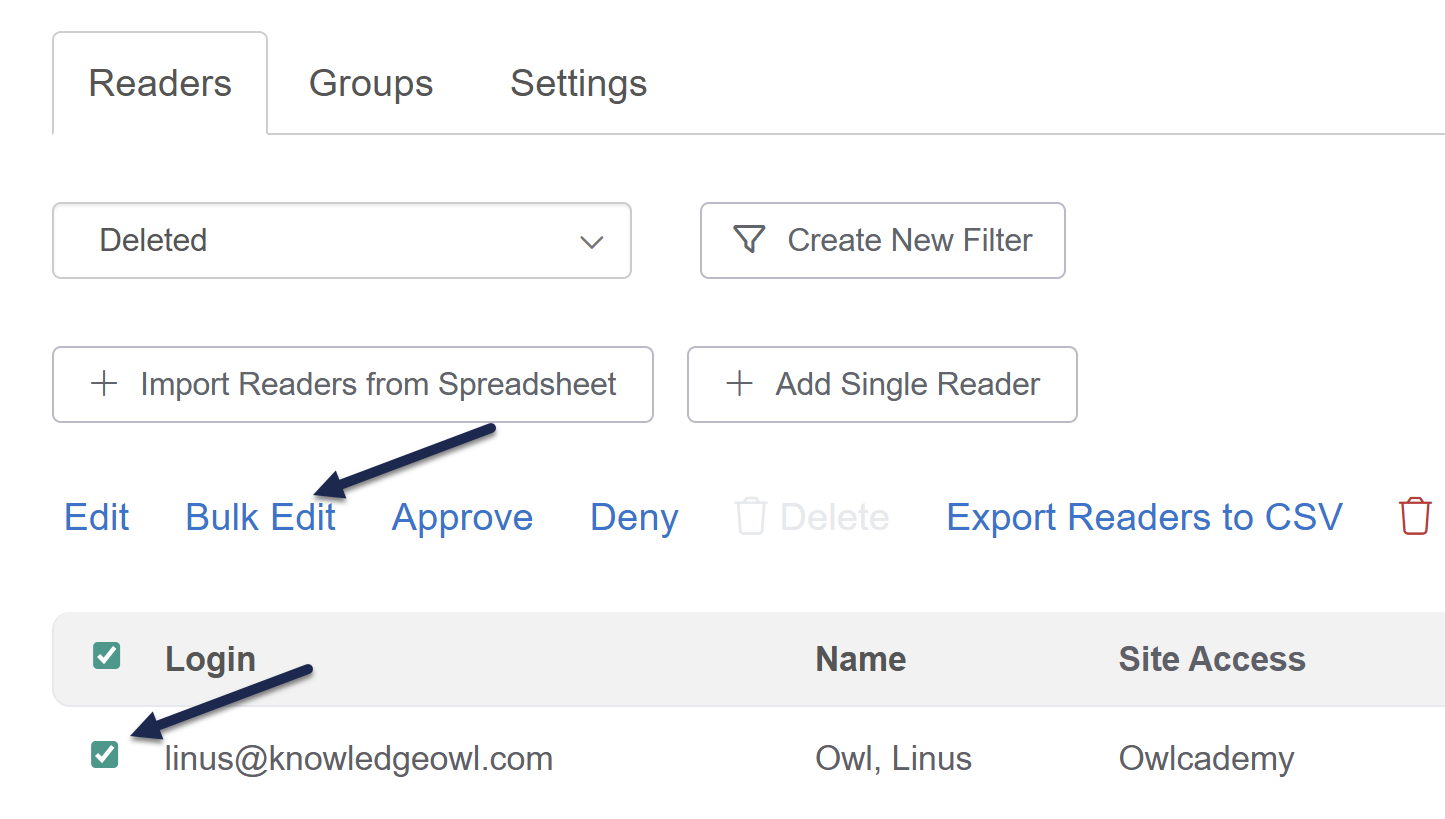 Check the box next to the reader you want to recover and select Bulk Edit
 - In the modal, select Active in the Reader Status dropdown:
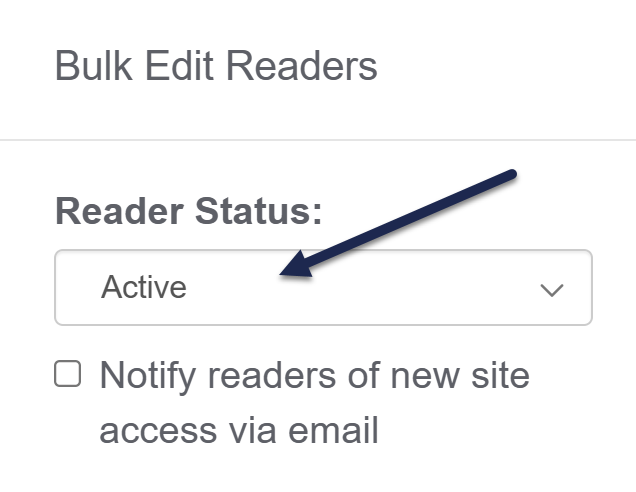
- If you merely want to recover the deleted reader with all their existing access and groups intact, select Update Readers.
- If you also want to make edits to their Reader Groups or Site Access, refer to Edit readers in bulk for more detailed instructions on those options.
Once you select Update Readers, the reader(s) you selected will be marked as Active and can resume accessing your knowledge base. At this point, you can edit them like any other reader to change any settings you need, like resetting their password, changing their access, and so on.