
Snippets don't save a full revision history like articles do, but you do have the option to Revert to previous save. This feature tracks the last ten saves of the snippet so you can roll back changes to one of those previous saves. (It works similarly to our Undo changes to Settings > Style feature.)
Reverting to a previous save will roll back any changes to:
- Snippet Name
- Merge Code Name (and, by extension, the Merge Code Value)
- Snippet Description
- Snippet Content (whether in Code Editor or WYSIWYG Editor)
- Visibility settings (Hide from PDFs and Include snippet content in article blurbs)
- Any Restrict to Reader Groups selections
Authors with the default Editor or Writer role can revert changes to snippets. If you're using a custom role, you'll need to have the Snippets custom author role permission to Edit snippets.
To revert to a previous save:
- In the left navigation, select Snippets. The Snippets page opens.
- Open the snippet you'd like to recover changes on.
- In the right column, select Revert to previous save.
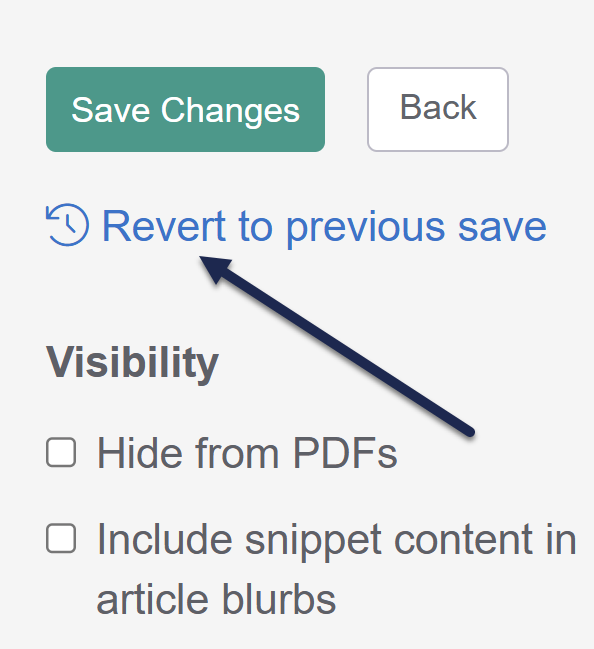
The Previous saves modal opens.Help, I don't have Revert to previous save!
If you don't have this link in the upper right, it means we don't have a record of any previous saves to revert to. This can happen if:- The snippet was created before 30 December 2023 and has been saved 0-1 times since then.
- The snippet was created after 30 December 2023 and has only been saved once after creation.
- In the Previous saves modal, select the previous save you'd like to revert to from the Previous Saves dropdown.
- We store up to ten recent saves for each snippet. These saves will be identified by the date/timestamp of the save, with the author who saved the changes in parentheses, for example: 01/09/2025 12:48:25 pm EST (Linus Owl).
- Once you're sure you've selected the Previous Save you want, select Revert.
- All of the snippet's details will be updated to the reverted save. You must Save the snippet for these changes to go live.
