
Authors with Full Account Admin permissions can delete other authors.
To delete an author:
- Go to Account > Authors.
- Find or search for the author you'd like to delete.
- Check the box to the left of their name.
- Select the Delete link above the author list.
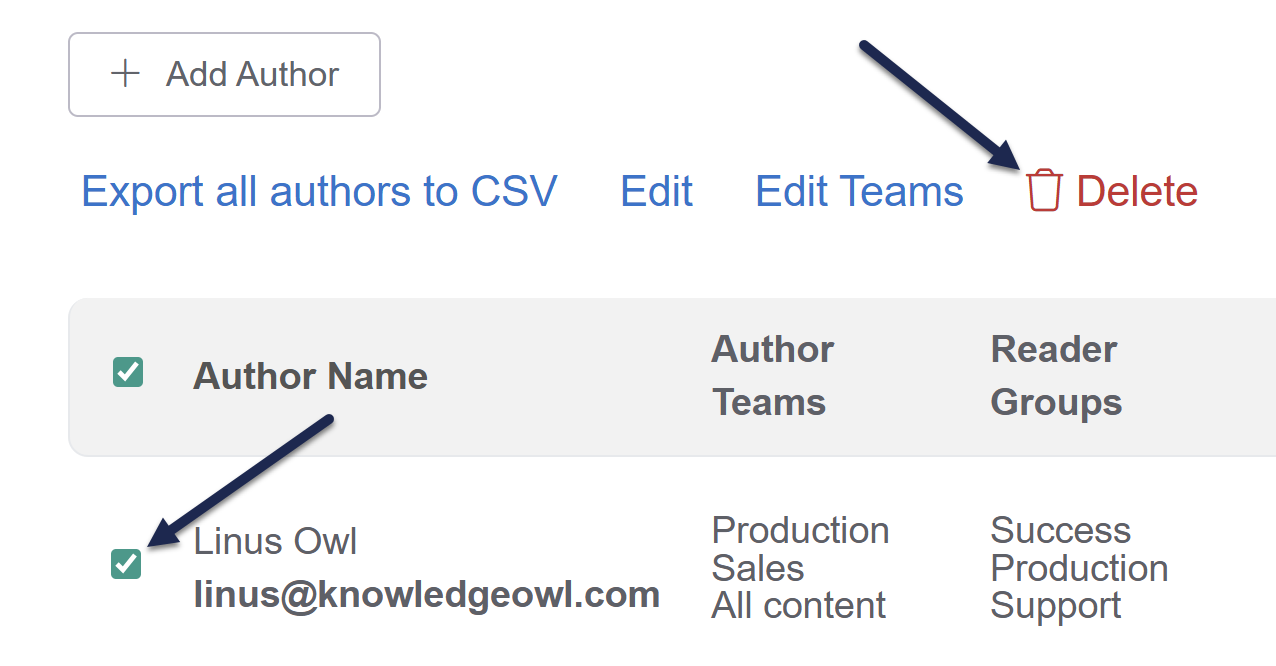 Select the author you want to delete and select Delete.
The Author Delete confirmation modal opens. - Once you've confirmed the author(s) listed are the ones you want to delete, select OK to finish deleting them.
- If this author was listed as the author for any articles, we recommend updating those articles to have a new author:
- Create a Manage Articles filter showing all articles with this author as the official author.
- Bulk edit them to have a new author.
Once the author is no longer listed as an author for any articles, their name will disappear from the Author dropdown and filter fields.
Learn more
Refer to What happens when I delete an author? for more information.