
The article summary or meta description is a short description of the article's contents.
This field is often overlooked by authors, but it shouldn't be!
Why you should add a summary/meta description
KnowledgeOwl uses or displays the summary/meta description in a few places:
- Search results order: The summary or meta description is one of the Search fields we automatically index, and you can adjust the Search field weights to increase or decrease how important it is.
- Search results: Depending on how you've configured KB settings > Search and synonyms > Search page display > Meta description article blurbs, summaries (meta descriptions) may be used as the article blurb in your knowledge base's search results.
- Category landing pages: Some category types and layouts will display an article's summary or meta description on the category landing page. This is especially true for blog style categories and a couple of the default categories display types.
- Blog style categories always display an article blurb for their articles, as in our Release notes category. If no meta description exists, these category landing pages will generally display the first sentence or two from the article itself, which may not be the most accurate summary.
If your knowledge base is public or at least partially public, the summary or meta description has even more reach. This field sets the meta description HTML element, which briefly summarizes the content of a web page. Like the title tag, it's not actually displayed while you view the page—instead, this HTML element is tucked into the "head" of the page, like this:
 Meta descriptions are found in the <head> of a webpage, in the <meta name="description"> element.
Social media platforms use the meta description as the text preview for your article or category, so it has a lot of reach. If you don't have a meta description, social media platforms generally just grab the first 150-ish characters they find.
Search engines will often use the meta description, but not always—sometimes they'll display a relevant fragment from the page based on the end-user's search query, instead.
Add or edit a summary or meta description
The information below varies based on whether you're using our 2026 new editor or old editor.
To figure out which instructions to follow:
- Open any article for editing.
- If the lefthand navigation is collapsed and there's a link near the top of the page to Switch to old editor, follow the New editor documentation.
- If the lefthand navigation is expanded and the top of the editor and the righthand column have a heavier grey background, follow the Old editor documentation.
Here are side-by-side examples of the new editor and the old editor:
 Sample New editor
 Sample Old editor
Try out the new editor
We'd love your feedback on the new editor. To switch to the new editor, open any article for editing and select the Switch to new editor link at the top of the editor.
For category meta descriptions, follow the Old editor instructions.
Add or edit a summary
To add or edit a summary in your article in the new editor:
- Open the article or category for editing.
- Select anywhere in the Summary field above the editor pane:
 Enter text in the Summary field
 - Enter or update the text or select Generate to use Owl AI to generate a meta description/summary to start with. Refer to Generate article meta description with Owl Intelligence for more information.
- Be sure to Save your changes.

Add or edit a meta description
To add or edit a meta description to your article in the old editor or to your category:
- Open the article or category for editing.
- Enter or update the Meta Description text, located below the article body editor pane:
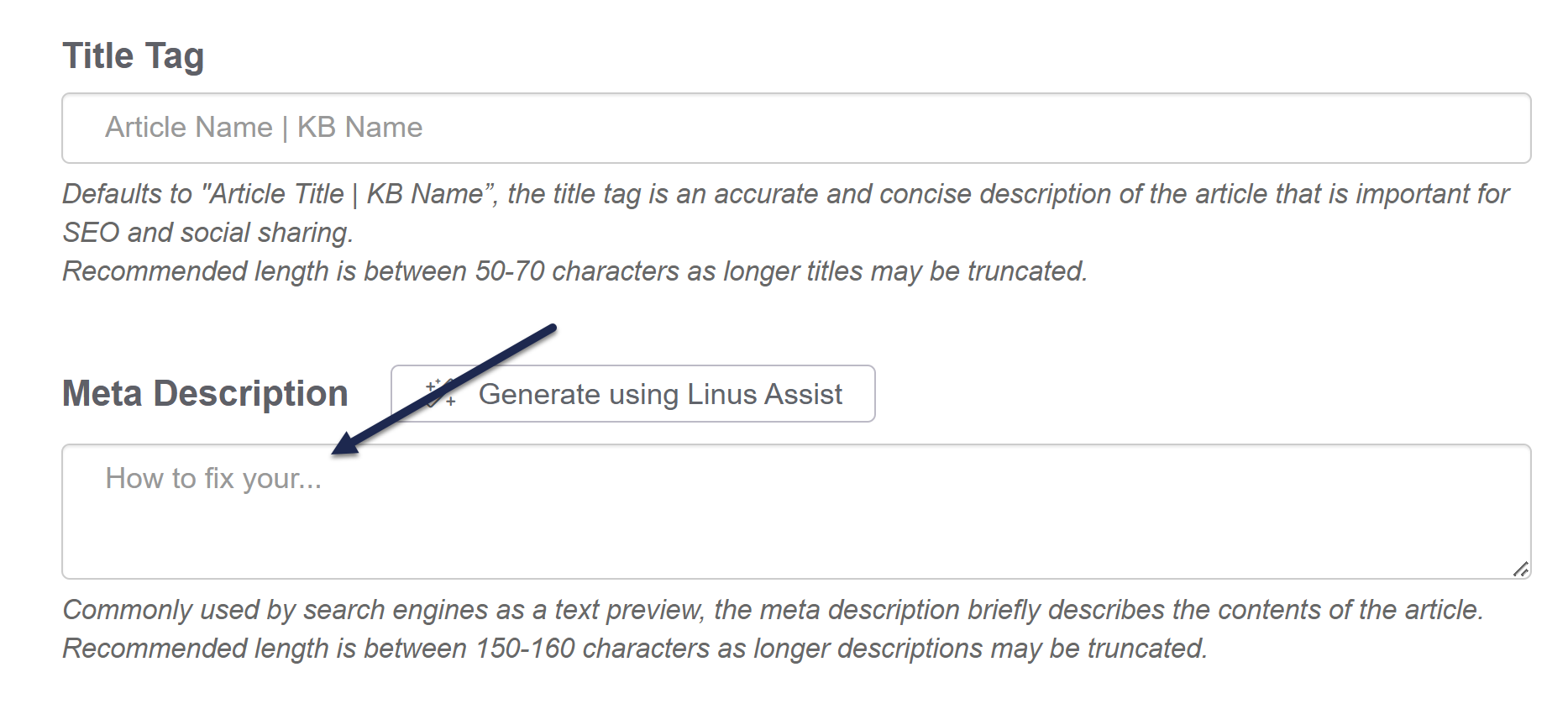
- Or select Generate using Owl Intelligence to use AI to generate a meta description/summary to start with. Refer to Generate article meta description with Owl Intelligence for more information:
- Be sure to Save your changes.
Tips for writing good summaries and meta descriptions
Here are some tips on getting the most out of your summaries or meta descriptions:
- Additive: Meta descriptions should build on the title tag, expanding on it in more detail.
- Actionable: Treat meta descriptions as both informative and as advertising copy: describe what's in the article or category AND encourage people to open it. Think about why someone might be looking for this article and try to address that why. This can be as simple as including a Call to Action (CTA) like "Learn more...", "Get started...", or "Find out how...".
- Concise: Aim for something between 50 and 150 characters.
- Most search engines truncate meta descriptions around the 150-160 character mark. You want them to be long enough to provide a good description but not so long that the important details get truncated out.
- Unique: Write a unique meta description for each article and category in your knowledge base. Don't ever reuse meta descriptions word-for-word.
- No quotes: Avoid standard/double quotation marks ("...") in meta descriptions. Google and other search engines will often truncate the description where these exist.
- Active: Use an active voice.
Not sure where to begin? Use Owl Analytics Entry pages report to identify pages that draw people into your knowledge base. Prioritize the pages that have a high bounce rate, as this may mean the existing summary or meta description doesn't accurately represent the page content.
Learn more
Here are two resources to help you dig further into meta descriptions:
- moz.com's Meta Description
- ahrefs.com's How to Write the Perfect Meta Description
And if you're working on SEO optimization, check out Kate's blog post Knowledge base SEO tips for those of us who hate SEO.