
Use the Video callout to draw attention to video content in your knowledge base. The video callout setting adds a small video icon to the left of the article title anywhere it's displayed in summary. The video icon displays until you remove it.
Callout display
Video callouts are displayed to the left of the article title:
- In the table of contents
- In Article Lists
- In search results
- In default category landing pages
Here's a sample of a video content callout:
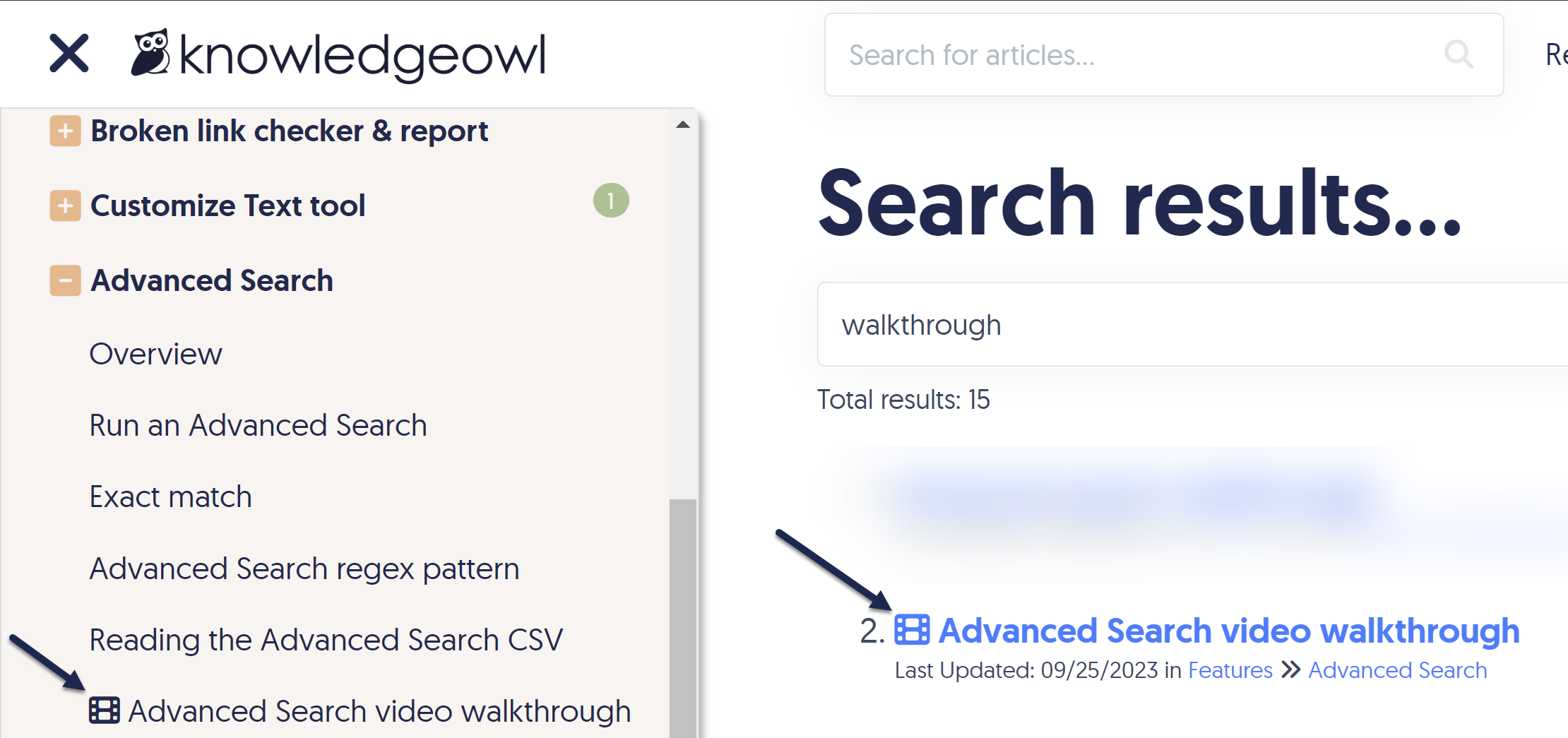 Sample video callout in the table of contents and search results
Combine video with other callouts
The Video Content callout can be checked in addition to the New and Updated callouts. Refer to Article callouts for more information on these callout types.
Add a video callout
The information below varies based on whether you're using our 2026 new editor or old editor.
To figure out which instructions to follow:
- Open any article for editing.
- If the lefthand navigation is collapsed and there's a link near the top of the page to Switch to old editor, follow the New editor documentation.
- If the lefthand navigation is expanded and the top of the editor and the righthand column have a heavier grey background, follow the Old editor documentation.
Here are side-by-side examples of the new editor and the old editor:
 Sample New editor
 Sample Old editor
Try out the new editor
We'd love your feedback on the new editor. To switch to the new editor, open any article for editing and select the Switch to new editor link at the top of the editor.
Add a video callout in new editor
To add a video callout to an article in the new article editor:
- Open your article for editing.
- In the Other section, select anywhere in the Disabled text next to Video callout:
The video callout modal opens. Select Disabled next to Video callout
- Select Enabled:
 Select Enabled in the Video callout modal
 - Be sure to Save your article. The video callout is immediately visible to your readers.


Add a video callout in old editor
To add a video callout to an article in the old article editor:
- Open your article for editing.
- In the Article Callouts section, check the Video Content box:
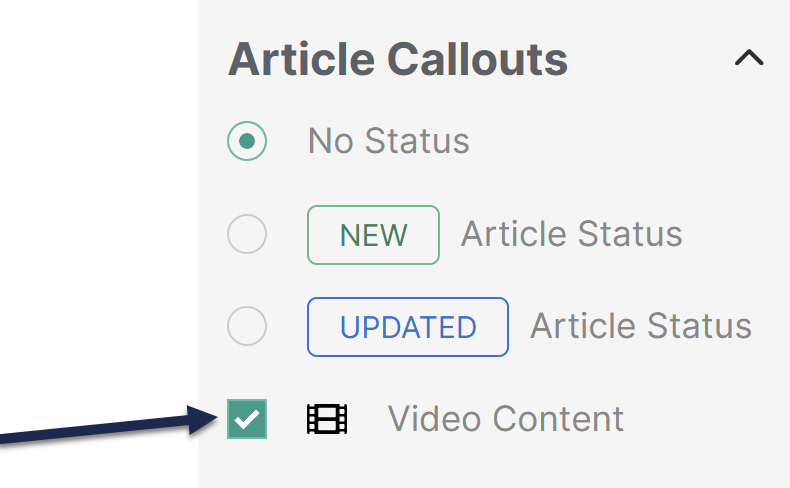 Sample Article Callouts section with Video Content box checked
- Be sure to Save your article. The video callout is immediately visible to your readers.
