
Once you understand How to format your recommended page paths, you can begin adding page paths to populate your contextual help widget's Recommended tab.
The information below varies based on whether you're using our 2026 new editor or old editor.
To figure out which instructions to follow:
- Open any article for editing.
- If the lefthand navigation is collapsed and there's a link near the top of the page to Switch to old editor, follow the New editor documentation.
- If the lefthand navigation is expanded and the top of the editor and the righthand column have a heavier grey background, follow the Old editor documentation.
Here are side-by-side examples of the new editor and the old editor:
 Sample New editor
 Sample Old editor
Try out the new editor
We'd love your feedback on the new editor. To switch to the new editor, open any article for editing and select the Switch to new editor link at the top of the editor.
Add a recommended page path in new article editor
To set up an article as being recommended in the new article editor:
- Open the article for editing.
- In the Other section, select anywhere in the text next to Contextual help widget:
The Recommend articles on these pages modal opens. Select anywhere in the text next to Contextual help widget
- If the Contextual help widget section isn't displayed, select the ... three dot menu in the upper right and select Add pages to recommend article:
 Select the ... triple dot menu then select Add pages to recommend article
- If the Contextual help widget section isn't displayed, select the ... three dot menu in the upper right and select Add pages to recommend article:
- Enter your page path into the text box with the
/app/documentationplaceholder: Enter your page path into the Recommend articles on these pages box
 - Once you've entered your page path, select Add:
 Select Add once you've entered your page path
 - The page updates to show the page path you just entered:
 The page path now appears in the modal and the editor main pane
 - Repeat this process for any other pages you want to recommend this article on.
- Be sure to Save your article once you're done adding paths.


Add a recommended page path in old article editor or category editor
To set up an article or category as being recommended in the category editor or the old article editor:
- Open the content for editing.
- Find the Recommend On Pages section in the righthand column.
- Select Add page to begin adding a new page:
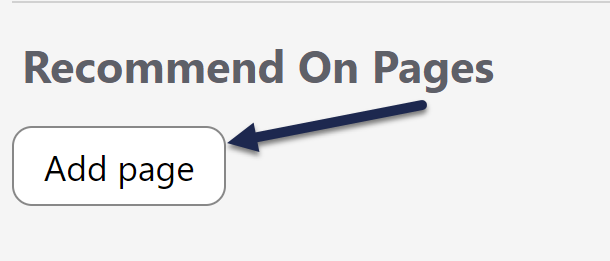 Select Add page to begin adding a new page path to recommend this content on
The Adding new page section displays. - Add your page path into the text field with the
/app/documentationplaceholder: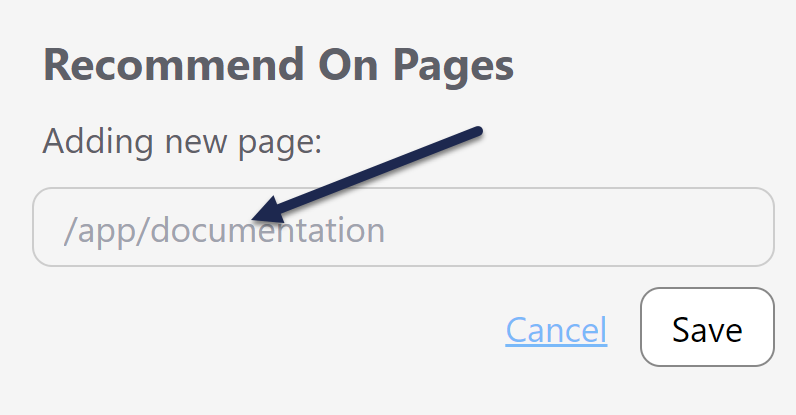 The Adding new page field will appear
 - Once you've finished adding your page path, select Save directly under it.
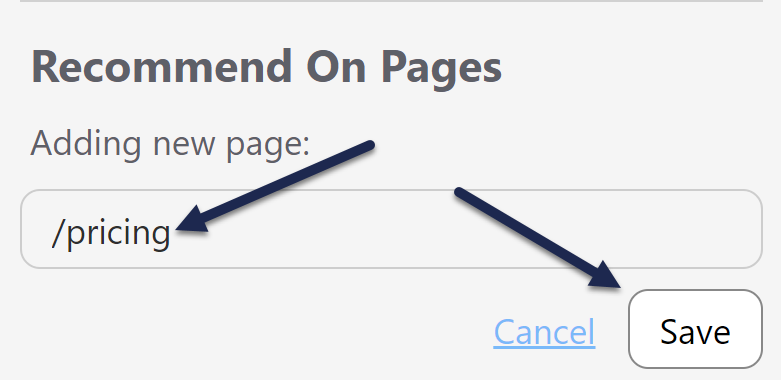 Add your page path into the text box and click the Save button directly under it
 - The editor updates to show the page path you added:
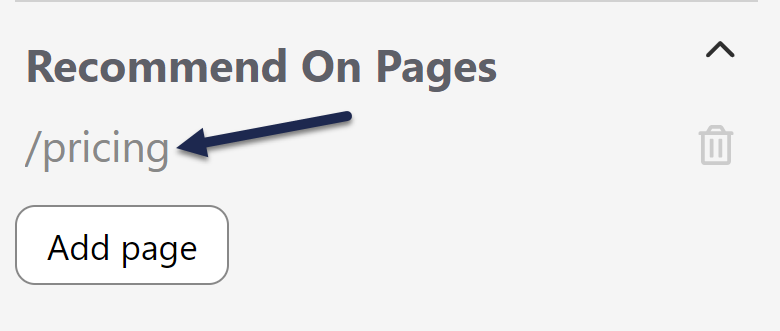 The page path now appears in the section with a trashcan icon to the right
 - Repeat this process for any other pages you want to recommend this article on.
- Be sure to Save your article once you're done adding paths.
