
Authors with the default Editor role can update Owl Analytics settings, including creating and deleting Export API tokens. If you're using a custom role, you'll need to have the KB Settings custom author role permission to Update analytics settings.
If your Export API token has been compromised or you have some other reason you no longer need it, delete the token:
- Go to KB settings > Owl Analytics. The Owl Analytics settings page opens.
- In Export API in the Quick start section, select the trashcan icon next to the token you wish to delete:
The Delete API token modal opens.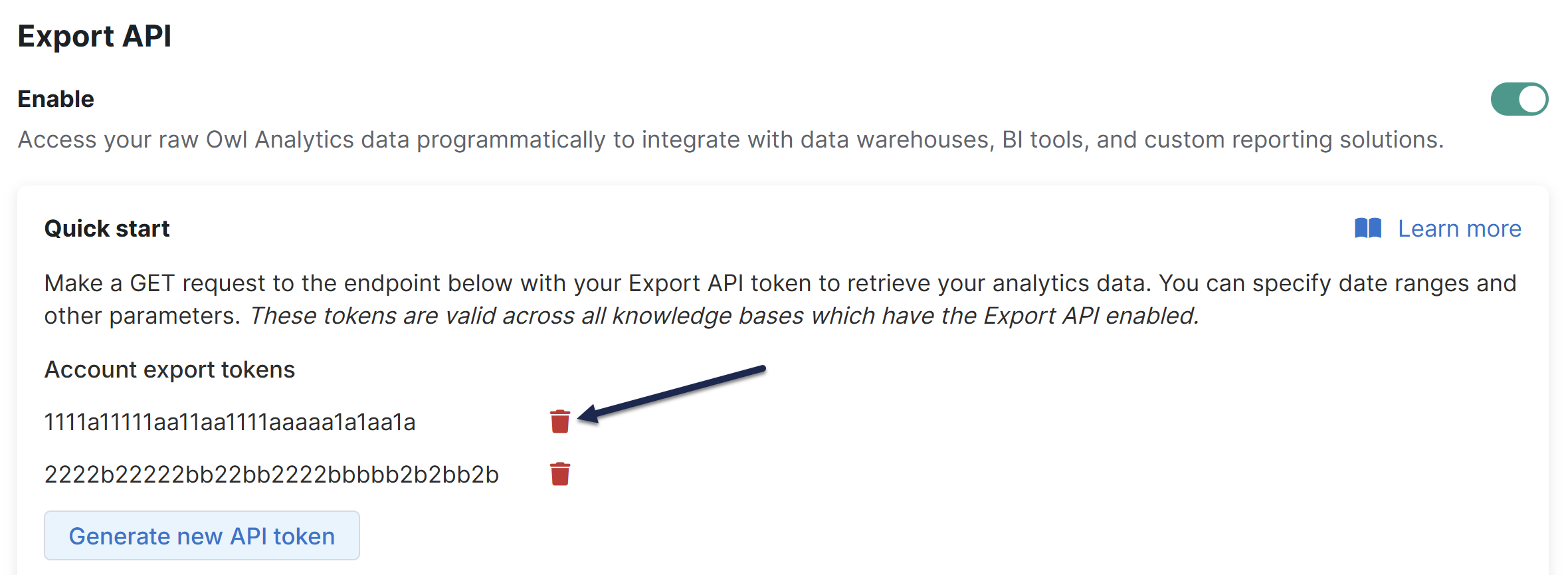 Select the trashcan icon next to the token you wish to delete
 - Verify that the token shown in the modal is the one you wish to delete. If it is, enter delete in the textbox.
- Select OK to complete the deletion.
Immediate loss of access account-wide
The export token will stop working for all knowledge bases across your account as soon as you delete it.