
KnowledgeOwl generally sends three possible emails to authors:
- Welcome email: Sent when an author is given access to a new knowledge base.
- Password reset email: Sent when an author requests a password reset or an admin initiates a password reset for the author.
- Security token email: Sent if we detect unusual behavior when an author attempts to log in and we initiate a security protocol.
If we have trouble sending the welcome and password reset emails for any reason, a red notification dot appears over the notification bell in the site banner:

If you select the notification bell icon, a message that your account has email delivery problems will appear:
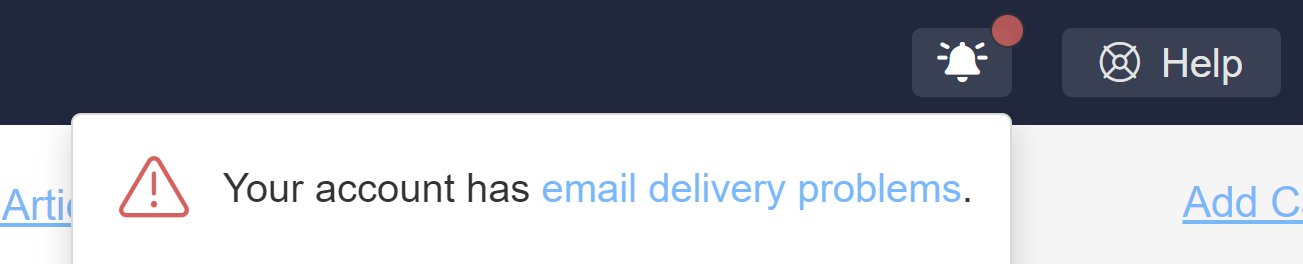 Sample email delivery problem notification when expanded
Select the hyperlinked email delivery problems text to open a modal that tells you what delivery issues there are.
When author email addresses have issues, we'll provide a list of the author(s) impacted by the issues. Select Resolve next to each author's name to jump straight to their details to try to troubleshoot what's going on.
 Sample author issue message in pop-up
Any authors with email issues will also display a red envelope next to their name in the Account > Authors page.
 Sample email delivery issue icon in the author list
When you view the details for an author who has email delivery issues, a warning message displays above their email address. This message varies based on what's going on with the author. There are two basic scenarios you might see:
- Email has issues but wasn't added to our suppression list: You'll see a green Clear this Warning button in the warning.
- Email has issues and was added to our email suppression list: You'll see a green Remove button in the warning.
We'll walk through each scenario in more detail below:
Email has issues/not in suppression list
Email issues can crop up for any number of reasons, like migrating an email server, a temporarily full mailbox, and more. Many of these issues won't result in an email being added to the email suppression list. Some of them may resolve on their own; others may need explicit troubleshooting to resolve.
Our delivery provider only captures these warnings at the time it tries to send an email, so it's possible that the issue we captured has already been resolved by the time you look at it. If the email isn't on the suppression list, you can just Clear the warning in these cases!
When the email hasn't been added to the email suppression list, the author's warning will look a bit like this:
 Sample author warning without suppression list; details of the delivery problem will vary
The information provided here is intended to help you troubleshoot what's going on with the author's email address:
- Our mail delivery provider captures the error code or message when email delivery fails. We'll display this back to you here. You can use this to help troubleshoot what's going on:
- Verify that the author's email address is properly spelled. (You'd be amazed how often this is an issue for new author accounts!)
- Try sending an email to that address and see if you get a bounce/undeliverable message.
- If you don't get a bounce, the issue may have already resolved itself, and you can proceed with the next step.
- If you do get a bounce, the issue still requires troubleshooting. We recommend reaching out to you or your author's email administrator with the delivery error message to expedite resolution.
- Once it seems like the author's email can properly receive emails, select Clear this Warning to clear the warning and remove the banner from your site. The warning will reopen if we continue to experience any issues emailing this author.
Email has issues and is in the suppression list
If an email address has had delivery problems and the address appears invalid, nonexistent, or misconfigured, it will also automatically be added to our mail provider's suppression list.
In these cases, even if the email address's underlying issue was resolved, KnowledgeOwl won't send any emails to the address until you remove it from the suppression list.
Our delivery provider only captures these warnings at the time it tries to send an email, so it's possible that the issue we captured has already been resolved by the time you look at it. If that's the case, you'll only need to Remove the email from our suppression list.
When the email has been added to the email suppression list, the author's warning will look a bit like this:
 Sample author warning message with suppression list Remove button
- Our mail delivery provider captures the error code or message when email delivery fails. We'll display this back to you here. You can use this to help troubleshoot what's going on:
- Verify that the author's email address is properly spelled. (You'd be amazed how often this is an issue for new author accounts!)
- Try sending an email to that address and see if you get a bounce/undeliverable message.
- If you don't get a bounce, the issue may have already resolved itself, and you can proceed with the next step.
- If you do get a bounce, the issue still requires troubleshooting. We recommend reaching out to you or your author's email administrator with the delivery error message to expedite resolution.
- Once it seems like the author's email can properly receive emails, select Remove. This will:
- Remove the email address from our suppression list.
- Clear the warning from the author's details.
- Remove the warning banner from within KnowledgeOwl.
The warning will reopen if we continue to experience any issues emailing this author.