
Authors with the default Editor role can update Owl Analytics settings, including creating and deleting Export API tokens. If you're using a custom role, you'll need to have the KB Settings custom author role permission to Update analytics settings.
You can generate multiple Owl Analytics Export API tokens. This can be useful if:
- Your existing API token has been compromised
- You want to export Owl Analytics data to different tools or data repositories
Refer to our Export API token best practices for more guidance on when to create new tokens.
To create a new Export API token:
- Go to KB settings > Owl Analytics. The Owl Analytics settings page opens.
- In Export API in the Quick start section, select Generate new API token:
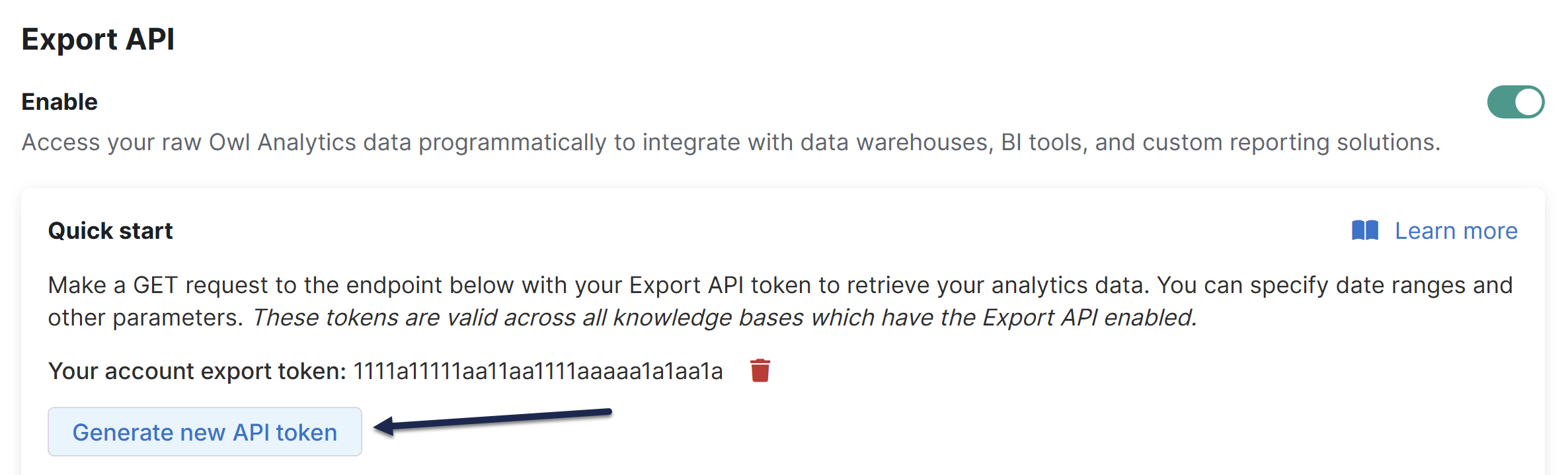 Select Generate new API token
 - The page updates to display your new API token. Copy this token and use it in the Export API calls you wish.
